 PAULGA
Free
Every core feature of the app.
$0
Get it free- Send objects between 7 design programs
- Workshare collaboration, 5 GB storage
- Terrain and site analysis sheets
- Agent (your own ChatGPT account)
- Tablet and phone apps, community
It plugs into AutoCAD, Rhino, SketchUp and Revit to send objects between programs, review one model with your team, and turn the view you are on into renders and site analysis sheets.
Keep your programs and files as they are. Install the plugins from Connection on the app's Home, and check the versions under Show supported versions.
 Revit
 Rhino
 SketchUp
 AutoCAD
 ZWCAD
 GstarCAD
 Blender
In Software mode, bring in objects from any connected program. Within one program family they arrive as native files; across families, as mesh. Group layers into cards by keyword or AI, show only the card you need, or send that card to another program.
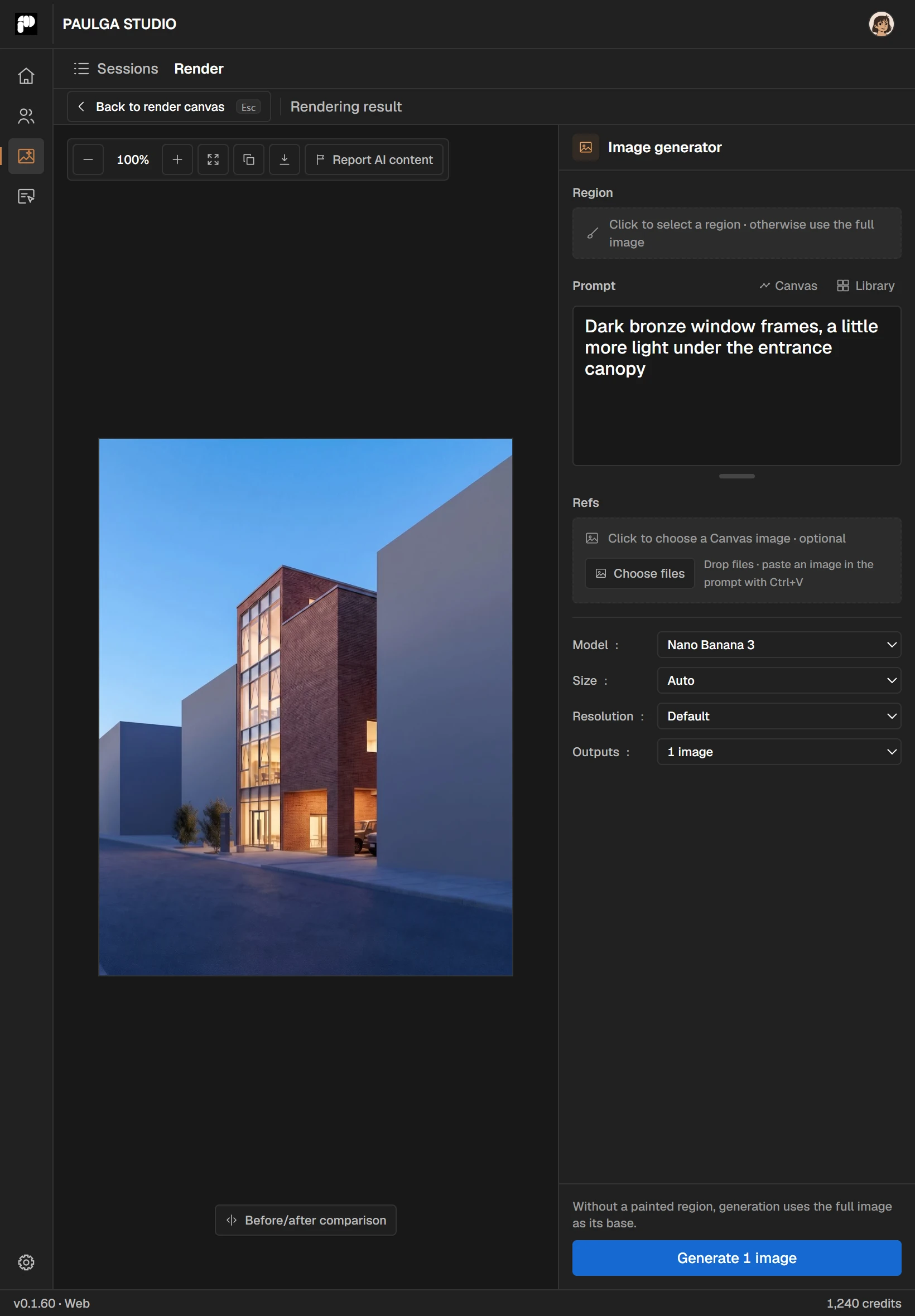
Capture the model view you are working on, attach up to four reference images and render. Paint the area you want changed and regenerate just that, or chain renders into a video up to 120 seconds long. Lay drawings and renders out on a board and export PPTX, PDF or PSD. Image and video generation use credits.
Drop in a national survey map (SHP or DXF) and Studio builds the terrain and the buildings around the site, then sends them to the same spot in the AutoCAD, Rhino, SketchUp, Revit or Blender file you have open. Mark the site and it draws elevation, slope, walking distance, viewshed, drainage and sun-hours sheets you can save as PNG or PSD.
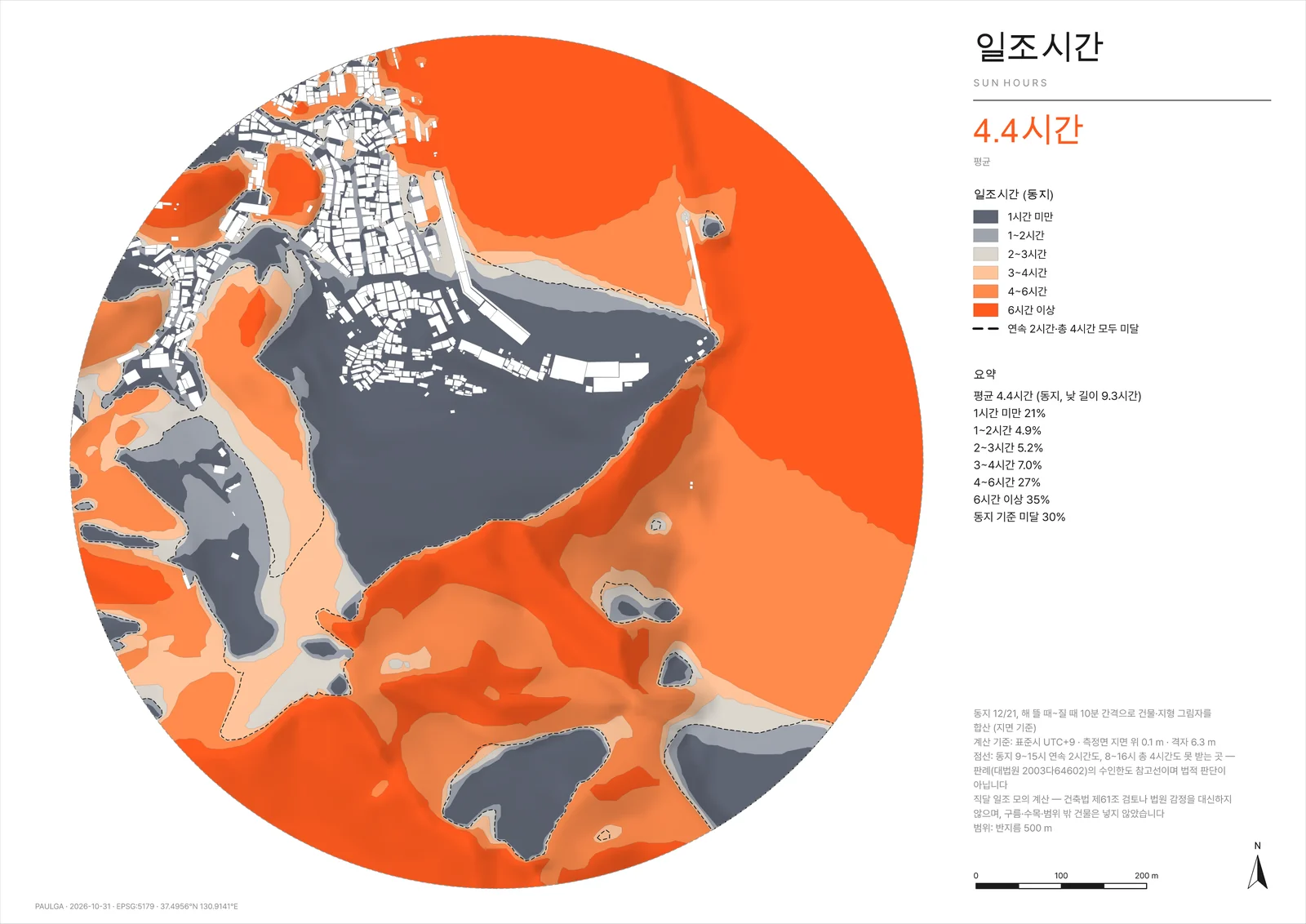
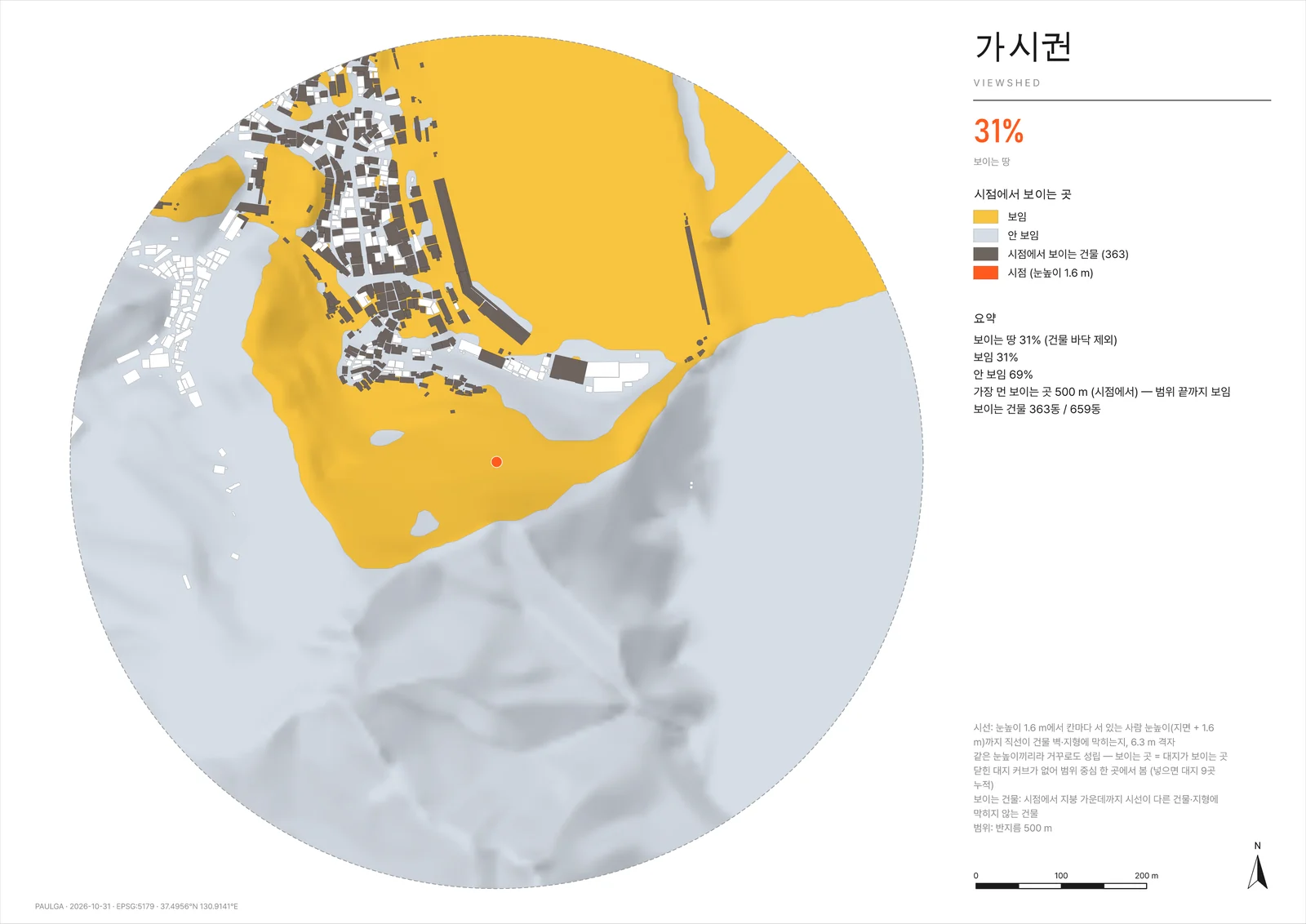
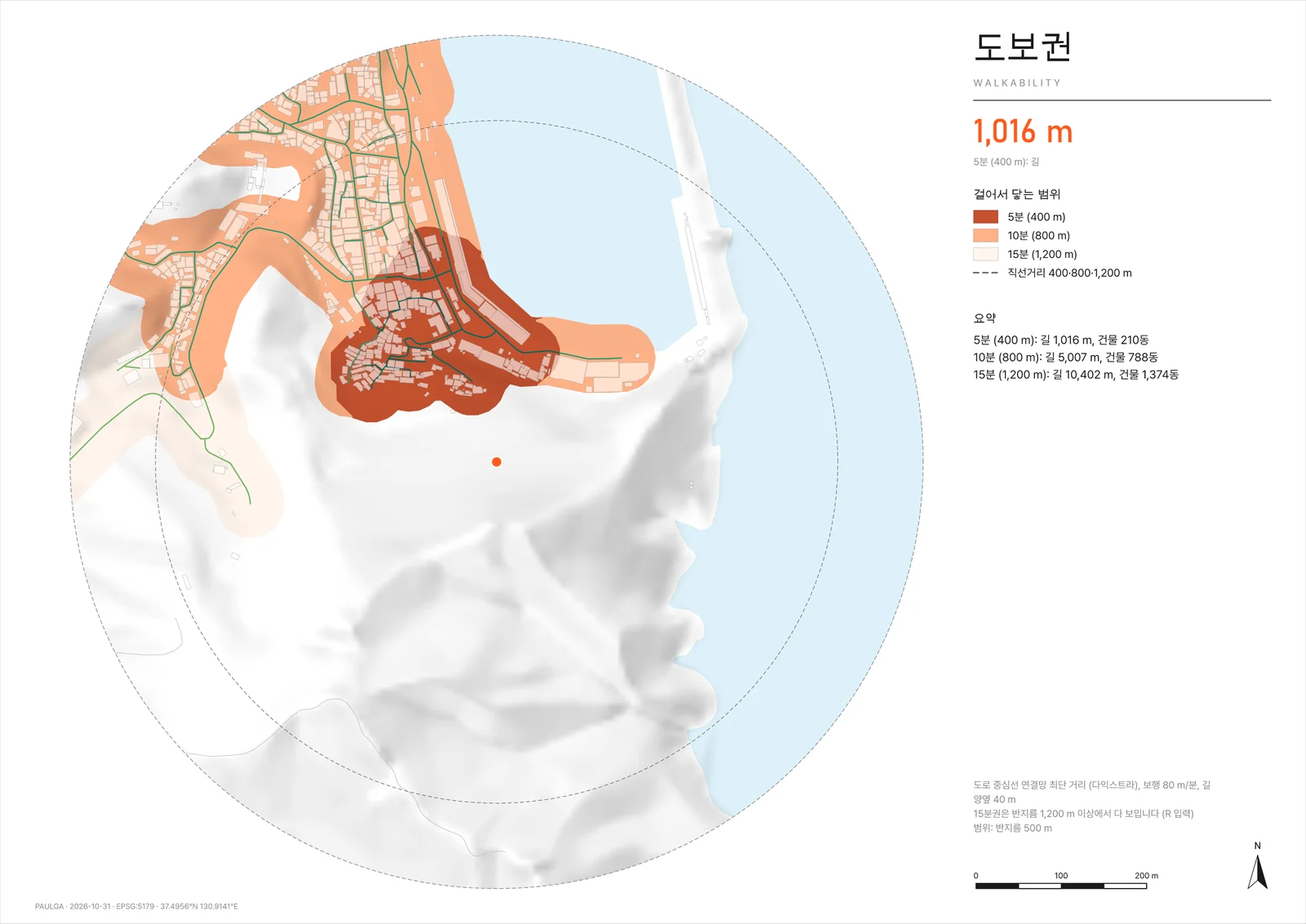
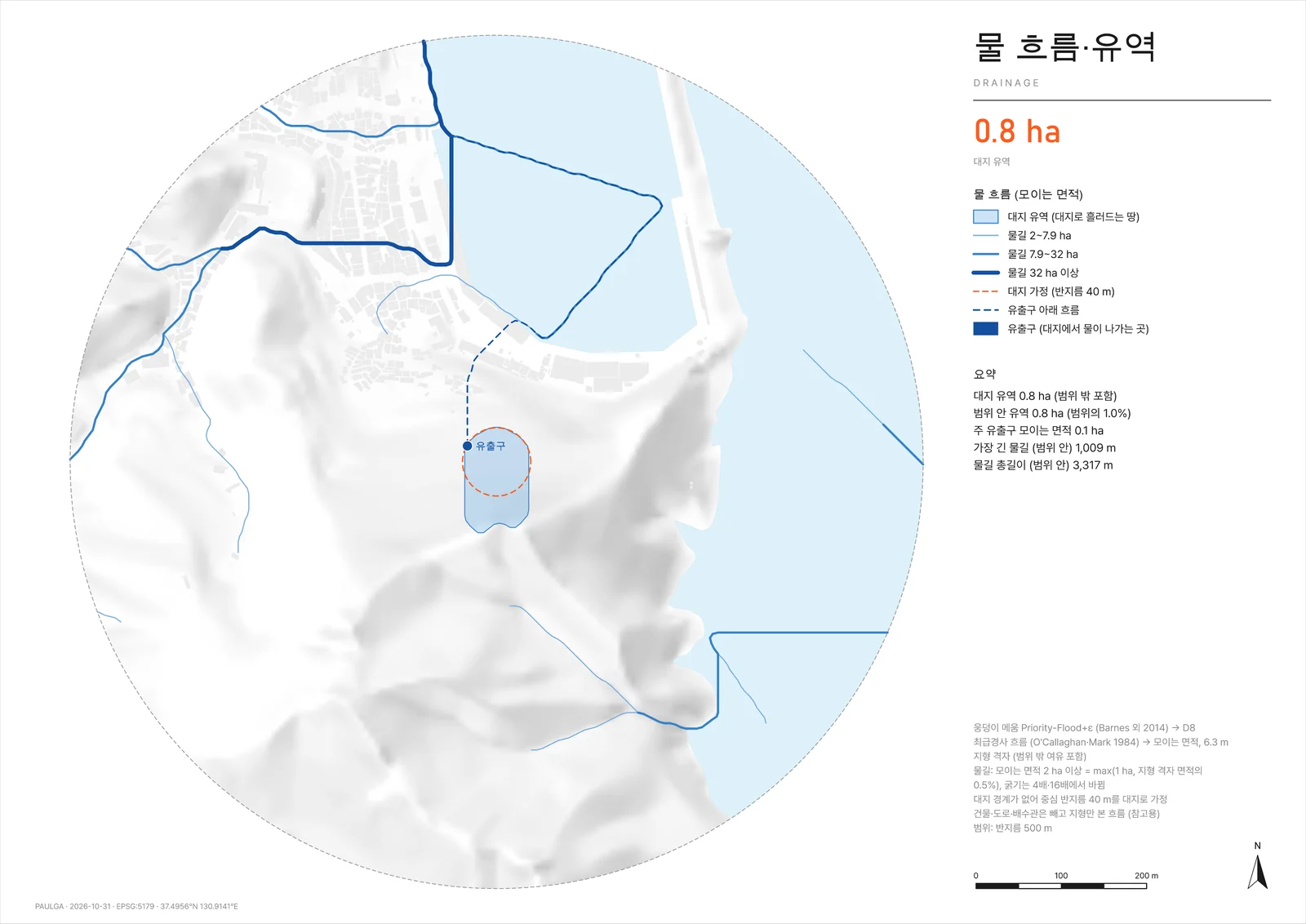
Write “Find the column candidates in my Rhino model and give me their positions and sizes” and the agent reads the open model and carries the task through. Every step shows in the conversation, and you can stop it at any time. Save a task that went well as a skill and rerun it on another model with one /skill line. The agent runs on Codex with your own ChatGPT account, so it uses no PAULGA credits.
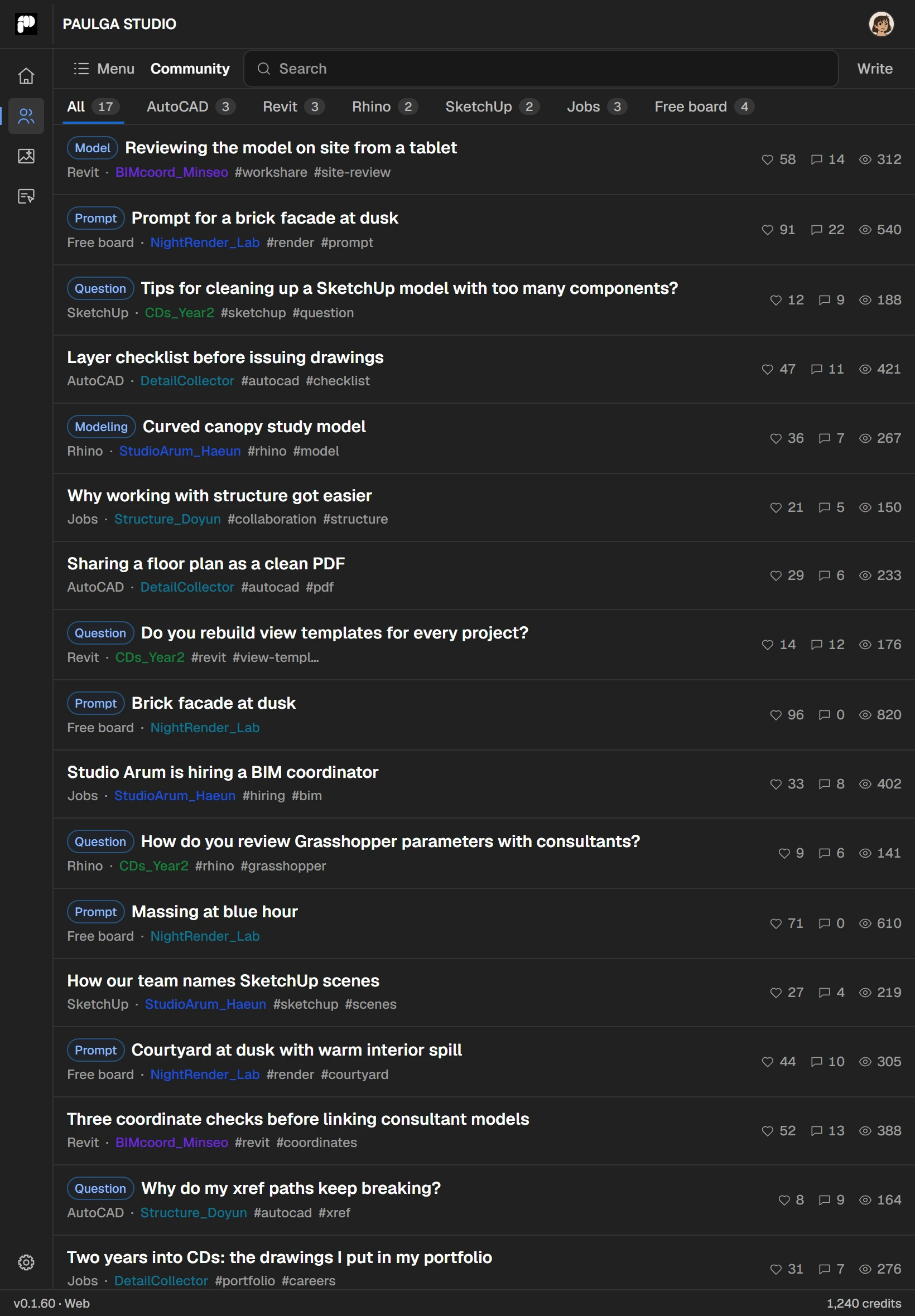
Open the models and renders you shared from your PC, orbit them with a finger, and tap a pinned comment to see exactly what its author saw. Read the community, and re-render site photos in the cloud without your PC.
Sending objects, Workshare, Terrain, the agent and the tablet and phone apps are free. New accounts get 3,000 trial credits for 14 days. Pick a paid plan only when you need more credits or storage.
Every core feature of the app.
$0
Get it freeA coffee with PAULGA. For the odd render.
$4.99
For individual studies and light sharing.
$18
For repeated renders across active projects.
$45
For teams running several projects at once.
$109
No. Studio connects to the design software you already use through a plugin: AutoCAD, ZWCAD, GstarCAD, Rhino, SketchUp, Revit and Blender. Plugins install from inside the app.
No. Ask the agent the way you would ask a colleague. Layers are grouped with keywords or AI classification.
The agent only changes the model within the task you gave it. It doesn't ask at every step, but every action shows in the conversation and you can stop it at any time. Save important files first.
Yes. Tell the agent “save this as a skill” and the steps you just ran become your own skill, which you rerun with /skill:name. You can share skills in the community or add other people's to your list.
OpenAI Codex. You sign in with your own ChatGPT account, and agent conversations do not use PAULGA credits.
Yes. Studio's built-in MCP server lets Claude Code or Codex query the connected model and run tools in your design software. The MCP setup guide has the steps.
Review Workshare models and comments, read the community and render in the cloud. Work in your design software happens on the PC.
Yes. The app and its core features are free, with 5 GB of Workshare storage. New accounts get 3,000 trial credits for 14 days. Credits are used for image and video generation, AI layer classification and AI copy on boards, and come with the monthly plans. The agent uses your own ChatGPT account, so it uses no credits.
Korean, English, Japanese, Chinese and Spanish.
Not yet. The desktop app and plugins are Windows-only for now.
Install it free, sign in, and connect the plugin for your design software from inside the app. Start with something small, like tidying one drawing's layers or making one render.